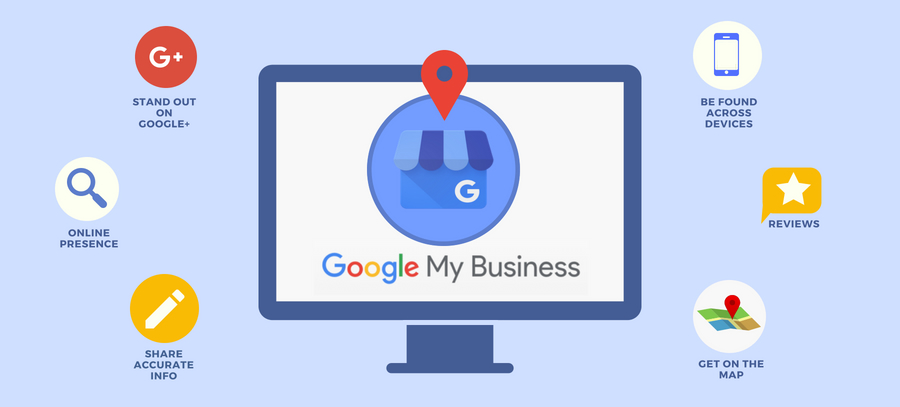
Google Business Profile is a powerful tool designed to enhance your business’s online visibility and engagement with potential customers. It allows businesses to create a business account that showcases essential information, such as your business address, contact details, and hours of operation.
One of the primary benefits of Google My Business is that it helps your business appear in Google search results and on Google Maps, making it easier for customers to search for your business and find the products or services you provide. These results appear on top of organic results and are often a nice way for business who don’t have great SEO to get a bit of exposure especially for local based searches. On your profile you should always share as much info as possible name, address and phone, your about your website URL, business images and now even your social media profiles. The more information you complete the more chance you have of showing up for searches.
Juan Preuyt – Local SEO Expert
The transition from Google My Business to Google Business Profile has streamlined the process of managing your online presence across Google. With a Google My Business page, you can respond to negative reviews, post updates, and share photos, which ultimately helps in building your brand reputation. The benefits of having a Google Business Profile extend beyond just visibility; it plays a crucial role in your digital marketing strategy by engaging customers who are actively searching for your offerings.
Creating a Google Business Profile listing is free and provides many advantages, including increased interactions with potential customers. By effectively utilizing this tool, you can significantly enhance your online presence and ensure that your business remains competitive in today’s digital landscape. Whether it’s through responding to inquiries or providing updates about your product or service, a well-managed profile can be instrumental in driving traffic and conversions for your business.
How Does a Google Business Profile Work?
Google Business Profile serves as a powerful tool for local businesses to manage their online presence. It allows businesses to create a detailed profile that includes essential information such as location, hours of operation, and services offered. When users search for specific services or businesses in their area, these profiles enhance visibility by appearing prominently in local search results and on Google Maps.
The functionality of a Google Business Profile extends beyond just providing basic information. It enables businesses to engage with customers through reviews, photos, and posts, fostering a connection that can influence potential customers’ decisions. By keeping their profiles updated, businesses can showcase new offers and events, further attracting local clientele.
For local businesses, having an optimized Google Business Profile is crucial for improving Local SEO. With the increasing reliance on online searches for local services, an effective profile can significantly drive traffic and footfall, ultimately enhancing sales and growth.
Why Do You Need a Google Business Profile?
A Google Business Profile is essential for any business aiming to enhance its online presence. First and foremost, it allows businesses to appear in local search results, significantly improving local SEO. When potential customers search for services or products nearby, having a well-optimized profile increases visibility and can drive more foot traffic to your location.
Moreover, a Google Business Profile facilitates customer engagement. It provides a platform for businesses to share important information such as operating hours, contact details, and special promotions. Additionally, customers can leave reviews and ratings, which not only build trust but also enhance your reputation in the community.
A Google Business Profile is a powerful tool that not only boosts your visibility but also fosters meaningful connections with local customers, ultimately leading to increased sales and customer loyalty.
Enhancing Your Online Presence
Google Business Profile offers numerous benefits for businesses aiming to enhance their online presence. By optimizing this profile, businesses can significantly improve their visibility in search results and maps, making it easier for potential customers to find them. This increased visibility not only drives traffic but also positively impacts brand credibility, as consumers often trust businesses that appear prominently in search results.
Boosting Local SEO
Additionally, utilizing a Google Business Profile is essential for boosting local SEO. With the growing importance of local search results, businesses can leverage keywords and location-based searches to attract nearby customers. This strategic approach ensures that businesses are more accessible to those actively seeking their services.
Maximizing Customer Engagement
Furthermore, a well-managed Google Business Profile maximizes customer engagement, allowing businesses to benefit from reviews and interactions. Features like messaging and Q&A drive effective customer communication, fostering a strong connection between businesses and their clientele.
How do I edit my google my business profile?
f you’re already logged into the Gmail account associated with your Google Business Profile, you can easily access and manage your profile. Here’s how:
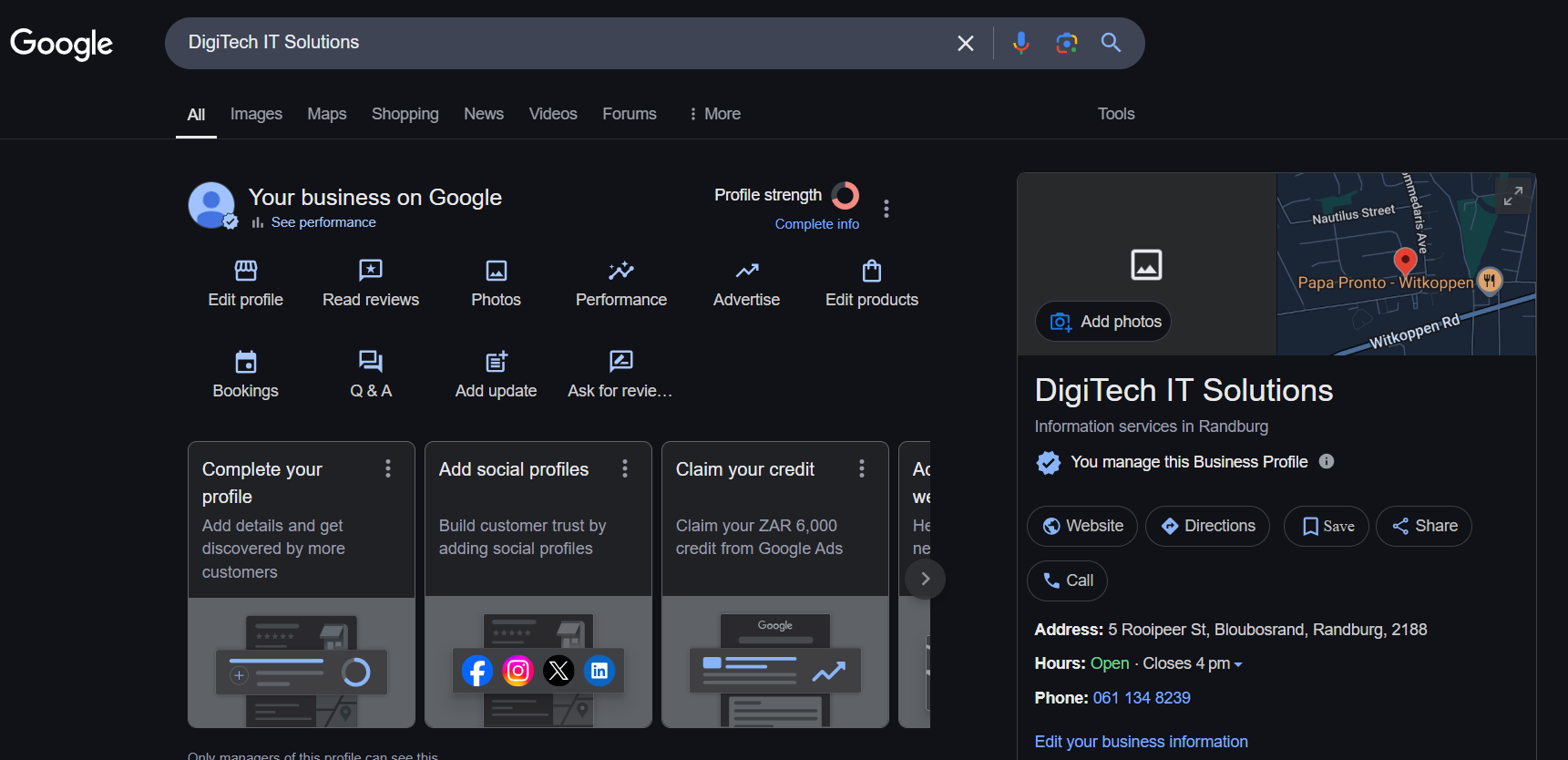
Search for Your Business Name: Simply type your business name into the Google search bar. If you’re logged in with the correct Gmail account, you’ll see your Google Business Profile appear with options to manage it, such as editing details, adding updates, or responding to reviews.
Go to the Google Business Profile Website: Visit Google Business Profile. Sign in with your Gmail account, and you’ll be directed to your profile’s management dashboard. From here, click Edit Profile to make updates to your business information, photos, hours, and more.
Both methods are straightforward and provide quick access to optimize your Google Business Profile and keep it updated.
How to Set up Your Google Business Profile*
To qualify for a Google Business Profile, your business must meet specific eligibility criteria, including having a physical location where customers can visit or a clearly defined service area. Here’s what you need to know:
*Eligibility for a Google Business Profile
Brick-and-Mortar Requirement:
Businesses must have a physical location where customers can visit. This could include retail stores, restaurants, offices, or other premises open to the public.
Service-Area Businesses:
If your business does not have a storefront but serves customers at their locations (e.g., plumbers, landscapers, or delivery services), you can still qualify. However, you must define the service areas you cover rather than listing a physical address.
Exclusions:
Virtual-only businesses, purely online stores without a physical location or service area, and rental properties or vacant offices do not qualify for a Google Business Profile.
Sign in with a Google account associated with your business. If you don’t have one, create a new account.
Step 2: Add Your Business
Click the “Manage now” button.
Enter your business name and select “Create a business with this name” if it doesn’t already exist.
Step 3: Choose Your Business Category
Select the category that best describes your business.
This helps Google connect you with relevant customers.
You can refine or add additional categories later.
Step 4: Add Your Business Location
Indicate whether your business has a physical location customers can visit.
Enter your address if applicable or mark your service area if you operate online or on-site.
Step 5: Provide Contact Information
Add your business phone number and website URL.
Ensure these details are accurate to build trust with potential customers.
Step 6: Verify Your Business
Google requires verification to confirm your business ownership. Methods include:
Postcard by mail: Google sends a postcard with a verification code.
Phone call or email: Instant verification may be available for some businesses.
Enter the verification code on your Google Business dashboard to activate your profile.
Step 7: Complete Your Business Profile
Fill in additional details to make your profile complete:
Business hours.
Photos showcasing your products, services, or premises.
A compelling business description highlighting what you offer.
Regularly update your profile to keep it fresh and relevant.
Step 8: Set Up Messaging (Optional)
Enable the messaging feature to allow customers to contact you directly via your profile.
Respond promptly to build trust and engagement.
Step 9: Publish and Optimize
Review your profile details for accuracy.
Publish your profile and start sharing updates, offers, and events.
Optimizing Your Google Business Profile
Optimizing your Google Business Profile is essential to maximizing its effectiveness and ensuring your business stands out in local search results. By following best practices and implementing strategic updates, you can enhance your online visibility, engage customers, and drive more traffic to your business.
Best Practices for Optimization
To make the most of your Google Business Profile, focus on these proven strategies:
Provide Complete and Accurate Information: Ensure all fields, such as your business name, category, hours, and contact details, are filled out and regularly updated.
Use High-Quality Photos: Include professional and appealing photos of your storefront, products, or services. Profiles with images attract more clicks and customer engagement.
Craft a Compelling Business Description: Write a concise yet informative description that highlights your unique selling points. Include keywords naturally to improve search visibility.
Keep Your Profile Active: Regularly post updates, offers, and events to show customers and Google that your business is active and relevant.
Tips for Enhancing Profile Visibility
Engage with Customers: Respond to reviews, answer questions, and interact with users who engage with your profile.
Add Products and Services: Use the product and service sections to showcase what you offer. Include detailed descriptions and pricing if applicable.
Leverage Insights: Use Google Insights to track how customers are finding your business and adjust your strategy accordingly.
Responding to Customer Reviews
Customer reviews play a crucial role in building trust and enhancing your online reputation. Here’s how to handle them effectively:
Acknowledge All Reviews: Respond to both positive and negative reviews promptly. A simple “Thank you for your feedback!” shows you value your customers.
Handle Negative Reviews Professionally: Stay calm and courteous when addressing complaints. Apologize if necessary, provide solutions, and invite the customer to discuss further offline if appropriate.
Encourage Reviews: Politely ask satisfied customers to leave reviews, but avoid incentivizing or pressuring them, as this can violate Google’s guidelines.
Using Keywords for Better Search Visibility
Incorporating relevant keywords into your Google Business Profile can significantly boost your visibility in local search results. Here’s how to do it effectively:
Identify Keywords: Research terms that potential customers might use when searching for your business. Focus on location-based keywords and terms related to your products or services.
Include Keywords in Descriptions: Naturally integrate these keywords into your business description, posts, and service or product listings.
Examples of Keyword Use: If you run a bakery, use phrases like “artisan bread in [City Name]” or “best cupcakes near me” in your descriptions and updates.
Managing Common Issues with Google Business Profile
What to Do If Your Business Doesn’t Appear in Search Results
If your business isn’t showing up in Google search results, it can be frustrating and may impact your visibility to potential customers. However, there are several steps you can take to troubleshoot and resolve the issue. First, ensure your Google Business Profile is verified. Without verification, your business won’t appear in search results. If you’ve already completed verification, double-check that all the information on your profile is accurate, including your business name, category, location, and contact details.
Next, review your profile settings to confirm that your business is set to display publicly. Check your operating hours and ensure they are up to date, as Google prioritizes profiles with complete and accurate information. If your business serves specific locations, verify that the service area is correctly listed. Additionally, review your keywords and ensure your business description includes relevant terms that customers might use to search for your products or services.
If these steps don’t resolve the issue, consider whether your profile lacks activity. Regular updates, such as posting photos, offers, and events, signal to Google that your business is active and relevant. Finally, check your profile’s performance through Google Insights to identify any potential gaps. If necessary, reach out to Google support for assistance in diagnosing and resolving any technical issues. By systematically addressing these areas, you can improve your profile’s visibility and attract more customers.
Tracking the Success of Your Google Business Profile
Monitoring and analyzing the performance of your Google Business Profile is vital to understanding its impact and making informed decisions to improve your strategy. By leveraging tools like Google Insights and analytics, you can measure your profile’s success and identify areas for growth.
Measuring Local Search Impact
Your Google Business Profile can significantly enhance your visibility in local search results, but how do you measure its effectiveness? Google Insights provides valuable data about how customers interact with your profile, offering a comprehensive view of its performance. Insights can reveal:
Search Queries: The keywords and phrases users searched to find your business.
Profile Views: The number of times your profile appeared in search results and on Google Maps.
Customer Actions: Metrics such as website visits, direction requests, and calls generated from your profile.
Tracking these metrics allows you to understand how well your profile is connecting with potential customers and identify opportunities for improvement.
Metrics to Track for Performance Assessment
When assessing your profile’s success, focus on the following key performance indicators (KPIs):
Views and Impressions: How often your profile is seen in search and maps.
Click-Through Rate (CTR): The percentage of viewers who click through to your website or other links.
Engagement Metrics: Actions like calls, messages, and photo views show customer interest and interaction.
Review Ratings and Count: A higher number of positive reviews boosts credibility and SEO rankings.
Monitoring these metrics regularly ensures that you’re aware of what’s working and what needs adjustment..
Using Analytics to Enhance Your Strategy
Analytics tools, including Google Insights and other platforms, can provide actionable data to help refine your strategy. Here’s how to make the most of the information:
Interpreting Data for Actionable Insights: Look for trends in customer behaviour. For example, if most visitors are coming from specific search terms, focus on optimizing content for those keywords.
Identifying Growth Opportunities: If data shows that certain products or services are generating more interest, highlight them in updates and posts to capitalize on customer demand.
Refining Engagement Strategies: Use data on review engagement or messaging to improve customer communication and response times.
Leveraging Analytics to Drive Growth
With insights in hand, you can make data-driven decisions to grow your business. For instance, if Google Insights shows low visibility in specific areas, you might expand your profile’s service area or focus on targeted keywords. Similarly, tracking customer actions like calls and website visits can help measure the return on investment (ROI) of campaigns and identify where to allocate resources for maximum impact.
Additional Support and Resources for Google Business Profile
Managing your Google Business Profile effectively can sometimes require assistance, whether you’re troubleshooting an issue or looking for ways to improve your profile. Fortunately, there are several resources available to help.
Where to Find Help for Google Business Profile Issues
Google Business Profile Help Center
The Google Business Profile Help Center is the go-to resource for finding answers to common questions and troubleshooting issues. It includes step-by-step guides, FAQs, and detailed articles on various topics like verification, managing reviews, and optimizing profiles.
Google Community Forums
The Google Business Profile Community Forum is a space where business owners and experts share advice and solve problems together. You can post questions, participate in discussions, and learn from the experiences of other users.
Google Support Channels
If you need direct assistance, Google offers support via chat, email, or phone (in some regions). You can access these options through your Google Business Profile dashboard by clicking “Get Help”.
Official Social Media Accounts
Google often shares updates and tips for Google Business Profiles on its official social media accounts. Following these accounts can keep you informed about new features or changes.
Resources for Improving and Troubleshooting Profiles
YouTube Tutorials
Google’s official YouTube channel provides visual walkthroughs and tips for setting up and optimizing your profile.
SEO Blogs and Websites
Many reputable SEO blogs offer advice on maximizing the potential of your Google Business Profile. Websites like Moz, Neil Patel, and Ahrefs often cover local SEO strategies that can enhance your profile’s performance.
Professional Assistance
If managing your profile feels overwhelming, consider hiring a digital marketing expert or agency to optimize and monitor your profile. They can provide personalized strategies tailored to your business.
Pro Tips for Managing Your Google Business Profile
While optimizing and managing your Google Business Profile, it’s essential to keep the following points in mind to avoid common pitfalls and enhance your profile’s effectiveness:
Fake Reviews and Reporting Them: Google Business Profiles are vulnerable to fake or malicious reviews. Although you can report such reviews, they will only be removed if they clearly violate Google’s policies. Unfortunately, questionable reviews that don’t breach policies are often left untouched. Focus on addressing such reviews professionally to maintain credibility.
Avoid Buying Reviews: Never purchase reviews to artificially inflate your ratings. Google has become vigilant about identifying and removing suspicious 5-star reviews. In some cases, profiles displaying a pattern of fake reviews may even have a warning label, stating that “some of these reviews may be false.” This can damage your reputation and trustworthiness.
Regularly Check and Update Your Profile: Google frequently updates business profiles automatically or based on suggestions from other users. While this feature is meant to improve accuracy, it can sometimes result in incorrect information being displayed. Check your profile regularly to ensure details like your business hours, location, and contact information are accurate.
Linking a Website for Better Rankings: Linking your website to your Google Business Profile not only makes it easier for customers to find more information about your business but also improves your chances of ranking higher in search results for both your website and the profile itself. A strong online presence boosts visibility and trust. Even better yet embed your Google my business profile map and reviews on your website this can be done by a web developer!
Key Takeaways:
Importance of Google Business Profile (GBP): A Google Business Profile is essential for enhancing your business’s online presence, improving local SEO, and attracting potential customers through Google Search and Maps.
Setting Up Your GBP:
Claim Your Business: Search for your business on Google and claim it to manage your profile.
Create a New Profile: If your business isn’t listed, create a new profile by visiting the Google Business Profile website.
Optimizing Your GBP:
Accurate Information: Ensure your business name, address, phone number, and website are correct.
Business Hours: Keep your operating hours up to date, including special holiday hours.
Business Categories: Select appropriate categories that accurately represent your services.
Photos and Videos: Upload high-quality images and videos to showcase your products, services, and premises.
Business Description: Write a clear and concise description of your business, highlighting key offerings and unique selling points.
Managing Customer Reviews:
Encourage Reviews: Ask satisfied customers to leave positive reviews on your profile.
Respond to Reviews: Engage with customers by responding to both positive and negative reviews professionally and promptly.
Utilizing GBP Features:
Posts: Share updates, offers, and events directly on your profile to engage with your audience.
Messaging: Enable messaging to allow customers to contact you directly through your profile.
Q&A Section: Monitor and respond to questions from potential customers to provide helpful information.
Monitoring Performance:
Insights: Use the analytics provided by GBP to track how customers find and interact with your profile.
Adjust Strategies: Analyze the data to make informed decisions about your marketing and customer engagement strategies.
Why effective cybersecurity is important for businesses
Cyber attacks can have serious financial and business consequences for companies, which makes implementing strong cybersecurity protections a critical step.
The threat of a successful cyber attack ranks as one of the most significant business risks organizations of all sizes and across all industries face. Business and IT executives have good reason to rate cyberthreats as a high-level risk — and to invest in a strong cybersecurity program for their company.
The volume and sophistication of cyber attacks have grown significantly since the first computer viruses emerged in the 1970s and the Morris worm became the first major internet-based attack in 1988. Moreover, the number of devices connected to the internet and corporate networks exploded during the past few decades. The reliance on IT systems for everyday business tasks also spiked in recent years, driven partly by digital transformation initiatives in companies.
Consequently, a single successful attack can have a catastrophic impact, with the potential to expose personal information, bring a company’s operations to a halt, cripple critical infrastructure and even physically harm people.
Recognizing the importance of cybersecurity, enterprise leaders in many organizations have increasingly prioritized it, seeking to implement more rigorous policies, procedures and technologies to defend against cyberthreats of all kinds — data breaches, ransomware attacks, phishing and more.
This article is part of
The ultimate guide to cybersecurity planning for businesses
For instance, the “2024 Focus on the Future” report from software vendor AuditBoard identified cybersecurity and data security as the No. 1 risk category among surveyed risk management and internal audit executives for the third year in a row. More than 80% of the 453 respondents also put it in the top spot for expected audit efforts in 2024. Similarly, professional services firm PwC’s “2024 Global Digital Trust Insights” survey found that mitigating cyber-risk was second on the priority list among the 3,876 business and IT executives who responded, outranked only by managing digital and technology risks.
Such viewpoints are pushing up cybersecurity budgets. Consulting and market research firm Gartner projected that combined spending on security and risk management by user organizations worldwide will total $215 billion in 2024, a 14.3% increase over the $188.1 billion it estimated for 2023.
Why strong cybersecurity is critical to business success
The following factors show why effective cybersecurity is seen as a necessary part of doing business:
Nearly every organization requires IT systems to function, which has significantly increased the consequences of a successful cyber attack. “We have become so dependent on technology that the majority of businesses cannot operate without it,” said Carl Eyler, director of the National Cybersecurity Institute at Excelsior University, an online school based in Albany, N.Y.
Data is now one of the most valuable assets — often the single most valuable one — in most companies. Any security issues that hurt an organization’s data quality or access could affect business operations.
Cybercrime continues to grow in nearly every way. The number of bad actors is increasing, as are the sophistication of their attacks and the access they have to tools and technologies to help launch those attacks. As an example, the growing availability of ransomware as a service and other as-a-service malware has made it easier for attackers to strike, said Sarb Sembhi, a member of the Emerging Trends Working Group at professional association ISACA and CTO of Virtually Informed Ltd. Google Cloud’s “Cybersecurity Forecast 2024” report made similar points, warning among other things that attackers are using AI to their advantage and that new trends in malware development are making it faster to create and harder to detect.
Government regulations and industry requirements mandate cybersecurity standards for many businesses, giving them no choice in making cybersecurity a priority. The U.S., individual states, the EU and other governments all have laws requiring organizations to safeguard sensitive data and implement prescribed cybersecurity practices. For example, the U.S. Securities and Exchange Commission in July 2023 adopted rules requiring all companies that file registration statements for stock offerings to disclose “material cybersecurity incidents” and to annually submit information on their cybersecurity strategy, governance and risk management initiatives. A case in point on industry mandates is PCI DSS, which sets standard security policies and procedures for any entity that accepts payment cards.
Many consumers and business partners now have higher expectations that companies will make the necessary cybersecurity investments to thwart cybercriminals from stealing customer information and doing anything else that could harm customers and partners by extension. Meeting those demands presents business opportunities. “Creating and building trust with customers can be translated into revenue gains,” said Erik Avakian, a technical counselor at Info-Tech Research Group and former state CISO for the Commonwealth of Pennsylvania.
Cybercrime’s business costs and consequences
The numbers on the costs of cybercrime are staggering. Here are some overall figures:
The average cost of a data breach among 553 organizations worldwide was $4.45 million, according to IBM’s “Cost of a Data Breach Report 2023,” which was based on a study by research firm Ponemon Institute that examined breaches occurring between March 2022 and March 2023. That was an all-time high for the annual report and amounted to a 2% increase from the year before and a 15% one from the 2020 level.
Almost identically, PwC’s digital trust survey found that the average cost of a damaging cyber attack was $4.4 million, with 36% of respondents reporting that their organization had been hit by a data breach with an estimated cost of more than $1 million in the past three years.
An early 2023 survey found that the average ransom payment in response to a successful ransomware attack during the previous 12 months was $1.54 million, according to “The State of Ransomware 2023,” a report from cybersecurity software vendor Sophos, which commissioned the survey of 3,000 IT and cybersecurity professionals. That was nearly double the average payment of $812,380 in the 2022 version of the annual survey. In addition, the 2023 survey respondents reported an average of $1.82 million in estimated recovery costs, covering things such as downtime, people time, device costs and lost business opportunities.
The annual cost of cybercrime worldwide is expected to amount to $8.15 trillion for 2023 and increase to $13.82 trillion in 2028, according to predictions by market data and research firm Statista.
The list of cybersecurity incidents goes on and on. For example, a September 2023 ransomware attack on MGM Resorts International that used social engineering techniques to gain access to privileged user accounts cost the hospitality company an estimated $100 million and disrupted customer room access, casino games and other services. MGM said it expected its cybersecurity insurance policy to cover all the costs, but it also disclosed that the attackers stole personal information on some customers, including driver’s license, Social Security and passport numbers.
Caesars Entertainment was hit by a similar attack the same month. It paid a $15 million ransom, according to The Wall Street Journal, and likewise disclosed that the attackers obtained sensitive personal information on customers. In an SEC filing, Caesars said it took steps to “ensure that the stolen data is deleted by the unauthorized attacker, although we cannot guarantee this result.”
In another well-known example, a 2021 ransomware attack on Colonial Pipeline led to gas supply shortages in multiple U.S. states and cost the pipeline operator $4.4 million in ransom payments, some of which was later recovered by the U.S. Department of Justice. And Denmark-based shipping giant A.P. Moller-Maersk suffered upwards of $300 million in losses after a 2017 malware attack shut down the systems used to operate its shipping terminals around the world.
An organization that finds its cybersecurity defenses have been penetrated typically faces a long list of expenses as it seeks to repel the attack, restore affected systems and recover from the incident.
In addition to the required staff time, Eyler said organizations can expect to pay for outside technical support, inside and outside legal counsel, data breach notification costs and regulatory fines. They’ll also have costs due to lost sales and business opportunities. “You don’t know how far-reaching the costs are going to be when you’ve been breached,” he noted.
A company’s reputation with customers likely will also take a hit, which can translate into additional lost business in the future. Sembhi said the costs and consequences of an attack could even tank organizations — especially those without enough resources and reserves to weather the event’s aftermath. “With small businesses, one attack can take them out,” he warned.
Here are details on 10 prominent ransomware attacks against organizations in various countries.
Business benefits of effective cybersecurity
The ramifications of cyber attacks have pushed many enterprise leaders — directors, CEOs, CFOs and other senior business executives, as well as CIOs and CISOs — to focus on improving their organization’s security posture.
For example, professional services firm Deloitte’s “2023 Global Future of Cyber Survey” found that 70% of more than 1,000 cybersecurity decision-makers said security issues were on their board’s agenda either monthly or quarterly. In addition, 86% said cybersecurity initiatives had made a significant contribution to at least one key business priority, including improvements in things such as customer trust, brand reputation and operational stability.
Such findings reflect a shift in thinking among executives who now see the cybersecurity program as an enabler of business operations, not merely a backstop for preventing losses.
“That’s the perspective companies have to have when it comes to cybersecurity,” said Fred Rica, a partner in the advisory practice at professional services firm BPM. “It allows them to do things they couldn’t do before, and it allows them to be more efficient, save money and be more productive.”
To illustrate the point, Rica cited the common business strategy of a company wanting to build a self-service portal for its customers. But that’s only feasible if the company has appropriate security measures to authenticate customers and is properly safeguarding their data, he said.
Key elements of a cybersecurity strategy
There’s no universal basis for what makes a strong cybersecurity program — each organization must determine its required level of security. To do so, Rica said companies should primarily think about whether their security efforts are appropriate from a business perspective.
That involves concepts such as risk appetite and risk tolerance and how much residual risk business executives are willing to accept. “If they’re comfortable that they’ve identified their risks, that those risks are managed and that the risks they’ve left on the table fit their risk profile, then they have a good program,” he said.
Organizations also must identify critical systems and assets and understand the particular cyberthreats they’re most likely to face, so they can invest in the right amount of people, processes and technology to mitigate security risks to an acceptable level, Avakian said. He added that developing a cybersecurity strategy is an ongoing exercise because “things change all the time.”
Other key elements of creating a successful cybersecurity strategy include the following:
Alignment with business goals.
Visibility into where data resides within the organization. “Understand where it is, who has access to it, what access controls are in place and the entry points to the data,” Eyler said.
An understanding of the security and data privacy laws with which the organization must comply.
A detailed cybersecurity risk assessment that evaluates the organization’s existing ability to protect itself from cyberthreats and identifies where its defenses fall short. “Measure where you have gaps and then decide what initiatives to put in place to close those gaps,” Avakian said.
A defined set of cybersecurity metrics for measuring how well the security program performs and how it improves over time.
Tips on implementing and managing a cybersecurity program
The following best practices can help create an effective cybersecurity program:
Build a security-minded culture. Developing an internal culture that emphasizes cybersecurity is a must. “All stakeholders should know and understand what their responsibilities are from a cybersecurity perspective because security should be everybody’s job,” Eyler said.
Implement a comprehensive cybersecurity awareness and training program. To help foster a cybersecurity culture, all employees and relevant stakeholders should be trained on the importance of cybersecurity and the particular policies and procedures adopted by the organization.
Create cybersecurity champions. These are people throughout the organization who can evangelize the importance of following security policies and procedures. “Championing security starts with the CISO, but the CISO can’t do it all,” Avakian explained.
Focus on improving cybersecurity performance over time. “Every day should be about continuous improvement,” Avakian said.
When you need your company to have a new website or if you venture on updating your old webpage with a new look and functionality, the choices are versatile…
Assuming that you will go the easy way and choose a theme for your WordPress website, the overall number of characteristics that you will need to keep in mind narrows down significantly.
But how do you stay focused on what kind of a template you need and what do you want to get from that template?
We recommend focusing on 4 most essential characteristics, each vital for your company’s to have an efficient and long-standing online presence!
These are: Design or Visual Looks; Functionality; Easy Installation and Administering & Google-friendliness.
1: Design or Visual Looks
All the WordPress themes that we have here have had a vast team of professional designers sketching, working and executing the ultimate visual look for it.
With such a wide range of choices at hand, we strongly advise you to stick to the WordPress Theme that is based on your business’ or a closely related field. Either way, thanks to all the diversity here you will be able to choose a Theme that can be either of a formal color scheme with some light colors in it or a more vivid one, featuring bold textures and hues!
2: Functionality
Each business niche may require a unique functionality of its own
Every exit is an entry somewhere else.Tom Stoppard
With that notion in mind, our team of professional WordPress coders has been working day and night to roll out a definitive collection of built-in WordPress plugins, that come with each of our WordPress themes…
3: Easy Installation and Administering
Due to the fact that this is a WordPress theme, the process of installing it and using it is truly as easy as it gets!
Read our documentation to understand how fast you can go from purchasing a TemplateMonster WordPress theme to actually using it as a live skin for your company’s webpage.
Also, the WordPress CMS (Content Management System) allows you to easily change the content (text; multimedia; blocks; pages) of any part of your new theme!
4: Google-friendliness
In the modern days of a very tight online business competition, ranking high in such search engines as Google, Bing or Yahoo is critical.
With the help of our heavy customizations, each of our Business WordPress Themes is enhanced with an optimized features.
Believe us, Google will just love crawling your new website!
All in all, feel free to browse our Business WordPress Themes category and you will definitely find a new look for your company’s website!
In the ever-evolving digital landscape, businesses often treat Search Engine Optimization (SEO) and User Experience (UX) as separate disciplines. However, this siloed approach can significantly limit online success. The truth is that UX and SEO are deeply interconnected, with each enhancing the other when properly aligned. This comprehensive guide explores why UX and SEO should be considered two sides of the same coin and how their integration creates a powerful foundation for digital success.
The Evolving Relationship Between UX and SEO
Search engines have come a long way from the days when keyword stuffing and backlink quantity were the primary ranking factors. Today’s algorithms, particularly Google’s, have become increasingly sophisticated in evaluating websites based on how well they serve user needs. This evolution has created a natural convergence between SEO and UX.
Historical Perspective
Era
SEO Focus
UX Consideration
Relationship
Early 2000s
Keywords, meta tags, link quantity
Minimal
Disconnected
2010-2015
Content quality, natural language
Page load speed, mobile compatibility
Beginning to connect
2015-2020
User intent, dwell time
Engagement, navigation, accessibility
Strongly connected
2021-Present
Page experience, core web vitals
Holistic user journey, personalization
Inseparable
As this timeline demonstrates, the relationship between these disciplines has evolved from completely separate concerns to intrinsically linked factors that determine online success.
How Google’s Algorithm Updates Prioritize User Experience
Google’s major algorithm updates have increasingly emphasized user experience factors as ranking signals:
Mobile-Friendly Update (2015): Prioritized mobile-responsive websites in search rankings.
RankBrain (2015): Introduced AI to better understand user intent and satisfaction.
Speed Update (2018): Made page speed a ranking factor for mobile searches.
Page Experience Update (2021): Incorporated Core Web Vitals metrics directly into ranking signals.
Helpful Content Update (2022): Prioritized content that provides a satisfying experience and fulfills user expectations.
These updates clearly signal Google’s commitment to rewarding websites that prioritize positive user experiences.
Key UX Factors That Directly Impact SEO Performance
1. Page Load Speed
Page speed affects both user experience and search rankings. Consider these statistics:
53% of mobile users abandon sites that take longer than 3 seconds to load
A 1-second delay in page response can result in a 7% reduction in conversions
Pages that load within 2 seconds have an average bounce rate of 9%, while pages that take 5 seconds to load have a bounce rate of 38%
Implementation tip: Use tools like Google PageSpeed Insights to identify specific speed optimization opportunities for your website.
2. Mobile Responsiveness
With mobile-first indexing, Google primarily uses the mobile version of a site’s content for ranking and indexing.
Implementation tip: Test your website across multiple devices and screen sizes, ensuring all functionality and content are accessible and properly displayed on smaller screens.
3. Intuitive Navigation and Site Structure
A logical site structure helps both users and search engines understand and navigate your content.
Implementation tip: Implement a clear hierarchical structure with breadcrumb navigation, keeping important pages within 3 clicks from the homepage.
4. Content Readability and Formatting
Well-structured, readable content satisfies both users and search engines:
Use descriptive headings and subheadings (H1, H2, H3)
Include bulleted and numbered lists for scannable content
Keep paragraphs short and focused (3-4 sentences maximum)
Use adequate white space to prevent content overwhelm
Implementation tip: Run content through readability tools to ensure it meets the appropriate reading level for your target audience.
5. Core Web Vitals Optimization
Google’s Core Web Vitals measure specific aspects of user experience:
Metric
Measures
Good Score
Largest Contentful Paint (LCP)
Loading performance
≤ 2.5 seconds
First Input Delay (FID)
Interactivity
≤ 100 milliseconds
Cumulative Layout Shift (CLS)
Visual stability
≤ 0.1
Implementation tip: Use Google Search Console’s Core Web Vitals report to identify specific pages that need improvement.
How SEO Practices Enhance User Experience
The relationship works both ways—SEO practices can significantly improve user experience:
1. Keyword Research Reveals User Intent
Thorough keyword research uncovers what your audience is actually searching for, allowing you to create content that directly addresses their needs and questions.
User benefit: Visitors find exactly what they’re looking for, increasing satisfaction and engagement.
2. Content Optimization Improves Clarity
SEO content optimization requires clear structure, relevant headings, and concise meta descriptions.
User benefit: Content becomes more scannable, navigable, and useful to visitors.
3. Technical SEO Enhances Site Performance
Technical SEO improvements like fixing broken links, implementing proper redirects, and optimizing images directly improve user experience.
User benefit: Users encounter fewer errors and enjoy faster, more reliable site performance.
The Business Impact of Integrated UX and SEO
When Website UX and SEO work together, businesses see measurable improvements across key performance indicators:
Conversion Rate Optimization
Sites with strong UX and SEO integration typically experience higher conversion rates because:
Users find what they’re looking for more quickly
The path to conversion contains fewer obstacles
Content directly addresses user intent and pain points
Reduced Bounce Rates
When users land on pages that load quickly, display properly on their devices, and immediately address their search intent, they’re less likely to bounce back to search results.
Increased Time on Site
Engaging content that satisfies search intent, combined with intuitive navigation and relevant internal linking, encourages users to explore more of your website.
Higher Customer Satisfaction and Loyalty
Positive user experiences build trust and credibility, increasing the likelihood of return visits and brand loyalty.
Practical Strategies for Aligning UX and SEO
1. Conduct User Research Alongside Keyword Research
Implementation steps:
Create detailed user personas based on actual customer data
Map user journeys for each persona
Identify keywords and search terms relevant to each stage of the journey
Develop content that addresses specific user needs while targeting appropriate keywords
2. Design for User Goals While Incorporating SEO Elements
Implementation steps:
Structure page layouts around primary user goals
Incorporate keywords naturally into headlines, subheadings, and body text
Use schema markup to help search engines understand your content
Design clear calls-to-action that align with both user intent and business objectives
3. Prioritize Content Hierarchy for Both Humans and Search Engines
Front-load important information to satisfy both scanners and search engines
Use descriptive, keyword-rich anchor text for internal links
Create content clusters around pillar topics to establish topical authority
4. Measure and Optimize for Both UX and SEO Metrics
Develop a comprehensive dashboard that tracks metrics from both disciplines:
UX Metrics
SEO Metrics
Overlapping Metrics
Task completion rates
Keyword rankings
Bounce rate
User satisfaction scores
Backlink quality/quantity
Pages per session
Conversion funnel dropoffs
Crawl statistics
Average session duration
Usability test results
Index coverage
Mobile vs. desktop performance
Common Challenges and How to Overcome Them
Challenge 1: Balancing Keyword Optimization with Natural Content Flow
Solution: Focus on semantic relevance rather than exact keyword density. Use related terms, synonyms, and natural language that addresses the topic comprehensively.
Challenge 2: Reconciling Design Preferences with Technical Requirements
Solution: Establish collaborative workflows between design and SEO teams early in the process. Create shared guidelines that address both aesthetic and technical considerations.
Challenge 3: Maintaining Speed While Delivering Rich Experiences
Solution: Implement lazy loading for images and videos, use next-gen formats, and consider headless architecture to deliver fast, feature-rich experiences.
Challenge 4: Aligning Business Goals with User Expectations
Solution: Use data from both SEO and UX research to identify overlapping opportunities that satisfy both business objectives and user needs.
The Future of UX and SEO Integration
Looking ahead, several trends will further strengthen the relationship between UX and SEO:
AI-Powered Search: As search engines employ more sophisticated AI, they’ll become even better at evaluating actual user satisfaction.
Voice and Visual Search: These emerging search methods place even greater emphasis on understanding natural user behavior and intent.
Personalization: Both UX and SEO will increasingly focus on delivering customized experiences based on user preferences and behaviors.
Privacy-First Design: With the phasing out of third-party cookies, both disciplines will need to find new ways to understand and serve users while respecting their privacy.
Conclusion: A Unified Approach to Digital Success
The separation between UX and SEO is increasingly artificial. Today’s most successful websites treat them as complementary aspects of the same goal: connecting users with the content, products, and services they seek.
By aligning these disciplines, businesses can create a virtuous cycle: better user experiences lead to improved search rankings, which bring more visitors, providing more user data to further refine experiences. This integrated approach doesn’t just satisfy algorithms—it creates meaningful connections with the humans behind every search query.
Implementing a unified UX-SEO strategy requires cross-functional collaboration, a willingness to break down departmental silos, and a genuine commitment to serving user needs. The businesses that embrace this integrated approach will be best positioned to thrive in an increasingly competitive digital landscape.