


What is a Google Business Profile?
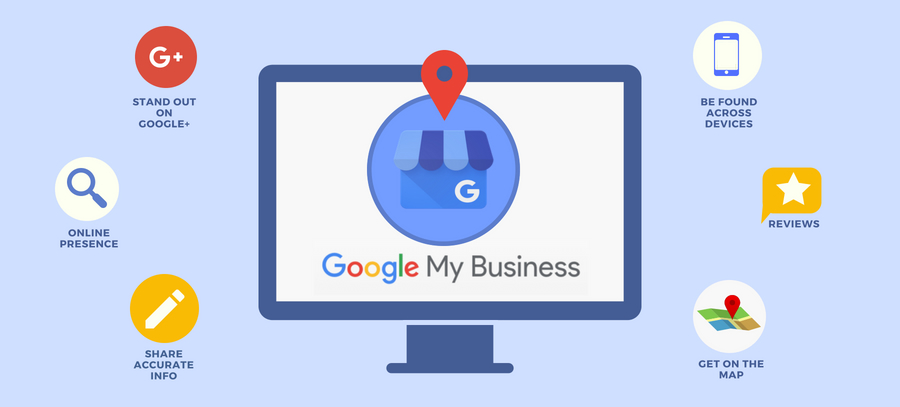
Google Business Profile is a powerful tool designed to enhance your business’s online visibility and engagement with potential customers. It allows businesses to create a business account that showcases essential information, such as your business address, contact details, and hours of operation.
One of the primary benefits of Google My Business is that it helps your business appear in Google search results and on Google Maps, making it easier for customers to search for your business and find the products or services you provide. These results appear on top of organic results and are often a nice way for business who don’t have great SEO to get a bit of exposure especially for local based searches. On your profile you should always share as much info as possible name, address and phone, your about your website URL, business images and now even your social media profiles. The more information you complete the more chance you have of showing up for searches.
Juan Preuyt – Local SEO Expert
The transition from Google My Business to Google Business Profile has streamlined the process of managing your online presence across Google. With a Google My Business page, you can respond to negative reviews, post updates, and share photos, which ultimately helps in building your brand reputation. The benefits of having a Google Business Profile extend beyond just visibility; it plays a crucial role in your digital marketing strategy by engaging customers who are actively searching for your offerings.
Creating a Google Business Profile listing is free and provides many advantages, including increased interactions with potential customers. By effectively utilizing this tool, you can significantly enhance your online presence and ensure that your business remains competitive in today’s digital landscape. Whether it’s through responding to inquiries or providing updates about your product or service, a well-managed profile can be instrumental in driving traffic and conversions for your business.
How Does a Google Business Profile Work?
Google Business Profile serves as a powerful tool for local businesses to manage their online presence. It allows businesses to create a detailed profile that includes essential information such as location, hours of operation, and services offered. When users search for specific services or businesses in their area, these profiles enhance visibility by appearing prominently in local search results and on Google Maps.
The functionality of a Google Business Profile extends beyond just providing basic information. It enables businesses to engage with customers through reviews, photos, and posts, fostering a connection that can influence potential customers’ decisions. By keeping their profiles updated, businesses can showcase new offers and events, further attracting local clientele.
For local businesses, having an optimized Google Business Profile is crucial for improving Local SEO. With the increasing reliance on online searches for local services, an effective profile can significantly drive traffic and footfall, ultimately enhancing sales and growth.
Why Do You Need a Google Business Profile?
A Google Business Profile is essential for any business aiming to enhance its online presence. First and foremost, it allows businesses to appear in local search results, significantly improving local SEO. When potential customers search for services or products nearby, having a well-optimized profile increases visibility and can drive more foot traffic to your location.
Moreover, a Google Business Profile facilitates customer engagement. It provides a platform for businesses to share important information such as operating hours, contact details, and special promotions. Additionally, customers can leave reviews and ratings, which not only build trust but also enhance your reputation in the community.
A Google Business Profile is a powerful tool that not only boosts your visibility but also fosters meaningful connections with local customers, ultimately leading to increased sales and customer loyalty.
Enhancing Your Online Presence
Google Business Profile offers numerous benefits for businesses aiming to enhance their online presence. By optimizing this profile, businesses can significantly improve their visibility in search results and maps, making it easier for potential customers to find them. This increased visibility not only drives traffic but also positively impacts brand credibility, as consumers often trust businesses that appear prominently in search results.
Boosting Local SEO
Additionally, utilizing a Google Business Profile is essential for boosting local SEO. With the growing importance of local search results, businesses can leverage keywords and location-based searches to attract nearby customers. This strategic approach ensures that businesses are more accessible to those actively seeking their services.
Maximizing Customer Engagement
Furthermore, a well-managed Google Business Profile maximizes customer engagement, allowing businesses to benefit from reviews and interactions. Features like messaging and Q&A drive effective customer communication, fostering a strong connection between businesses and their clientele.
How do I edit my google my business profile?
f you’re already logged into the Gmail account associated with your Google Business Profile, you can easily access and manage your profile. Here’s how:
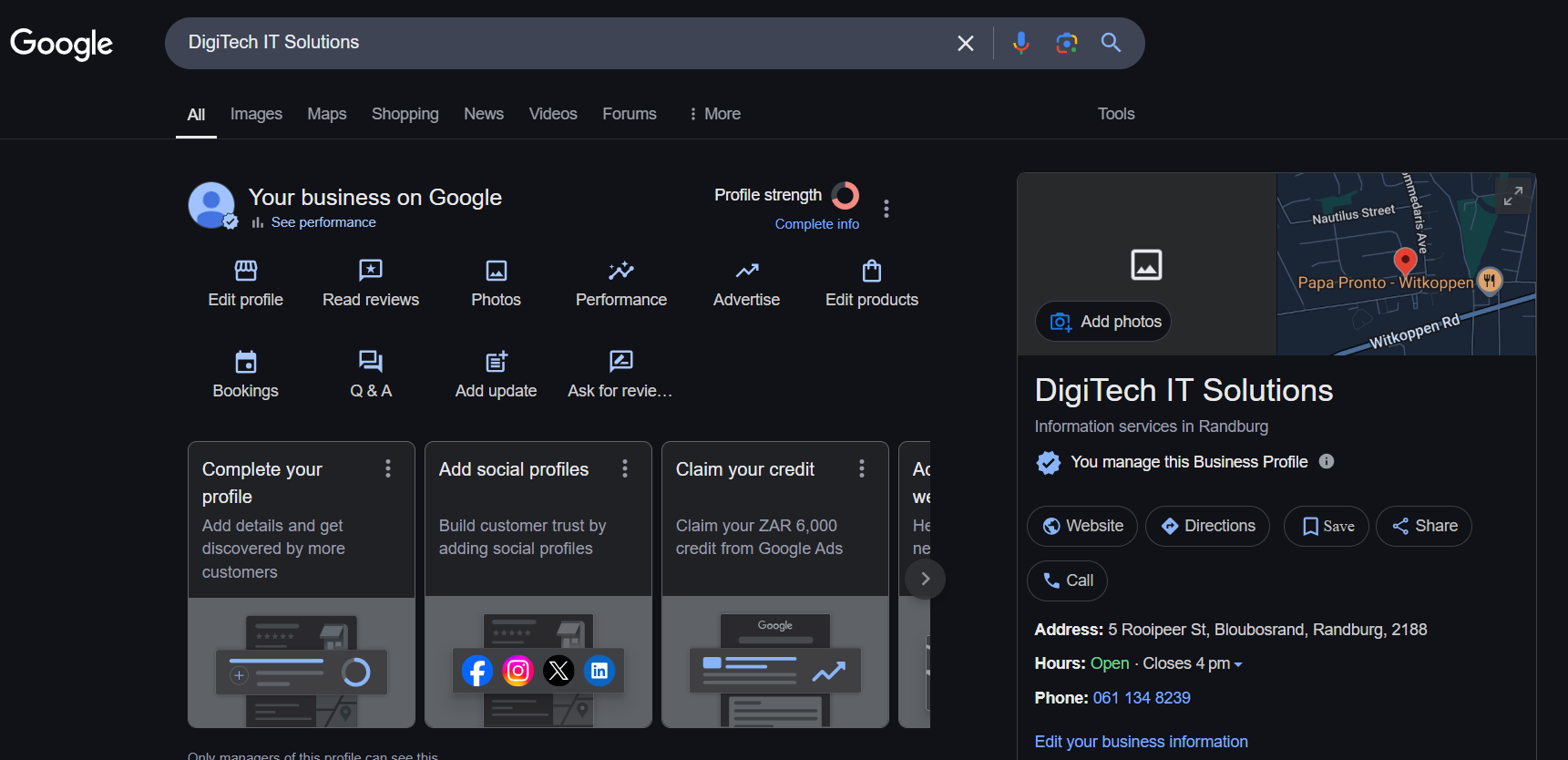
- Search for Your Business Name: Simply type your business name into the Google search bar. If you’re logged in with the correct Gmail account, you’ll see your Google Business Profile appear with options to manage it, such as editing details, adding updates, or responding to reviews.
- Go to the Google Business Profile Website: Visit Google Business Profile. Sign in with your Gmail account, and you’ll be directed to your profile’s management dashboard. From here, click Edit Profile to make updates to your business information, photos, hours, and more.
Both methods are straightforward and provide quick access to optimize your Google Business Profile and keep it updated.
How to Set up Your Google Business Profile*
To qualify for a Google Business Profile, your business must meet specific eligibility criteria, including having a physical location where customers can visit or a clearly defined service area. Here’s what you need to know:
*Eligibility for a Google Business Profile
- Brick-and-Mortar Requirement:
Businesses must have a physical location where customers can visit. This could include retail stores, restaurants, offices, or other premises open to the public. - Service-Area Businesses:
If your business does not have a storefront but serves customers at their locations (e.g., plumbers, landscapers, or delivery services), you can still qualify. However, you must define the service areas you cover rather than listing a physical address. - Exclusions:
Virtual-only businesses, purely online stores without a physical location or service area, and rental properties or vacant offices do not qualify for a Google Business Profile.
Step-by-Step Guide to Setting Up Your Profile
Step 1: Sign in to Google
- Go to the Google Business Profile website.
- Sign in with a Google account associated with your business. If you don’t have one, create a new account.
Step 2: Add Your Business
- Click the “Manage now” button.
- Enter your business name and select “Create a business with this name” if it doesn’t already exist.
Step 3: Choose Your Business Category
- Select the category that best describes your business.
- This helps Google connect you with relevant customers.
- You can refine or add additional categories later.
Step 4: Add Your Business Location
- Indicate whether your business has a physical location customers can visit.
- Enter your address if applicable or mark your service area if you operate online or on-site.
Step 5: Provide Contact Information
- Add your business phone number and website URL.
- Ensure these details are accurate to build trust with potential customers.
Step 6: Verify Your Business
- Google requires verification to confirm your business ownership. Methods include:
- Postcard by mail: Google sends a postcard with a verification code.
- Phone call or email: Instant verification may be available for some businesses.
- Enter the verification code on your Google Business dashboard to activate your profile.
Step 7: Complete Your Business Profile
- Fill in additional details to make your profile complete:
- Business hours.
- Photos showcasing your products, services, or premises.
- A compelling business description highlighting what you offer.
- Regularly update your profile to keep it fresh and relevant.
Step 8: Set Up Messaging (Optional)
- Enable the messaging feature to allow customers to contact you directly via your profile.
- Respond promptly to build trust and engagement.
Step 9: Publish and Optimize
- Review your profile details for accuracy.
- Publish your profile and start sharing updates, offers, and events.
Optimizing Your Google Business Profile
Optimizing your Google Business Profile is essential to maximizing its effectiveness and ensuring your business stands out in local search results. By following best practices and implementing strategic updates, you can enhance your online visibility, engage customers, and drive more traffic to your business.
Best Practices for Optimization
To make the most of your Google Business Profile, focus on these proven strategies:
- Provide Complete and Accurate Information: Ensure all fields, such as your business name, category, hours, and contact details, are filled out and regularly updated.
- Use High-Quality Photos: Include professional and appealing photos of your storefront, products, or services. Profiles with images attract more clicks and customer engagement.
- Craft a Compelling Business Description: Write a concise yet informative description that highlights your unique selling points. Include keywords naturally to improve search visibility.
- Keep Your Profile Active: Regularly post updates, offers, and events to show customers and Google that your business is active and relevant.
Tips for Enhancing Profile Visibility
- Engage with Customers: Respond to reviews, answer questions, and interact with users who engage with your profile.
- Add Products and Services: Use the product and service sections to showcase what you offer. Include detailed descriptions and pricing if applicable.
- Leverage Insights: Use Google Insights to track how customers are finding your business and adjust your strategy accordingly.
Responding to Customer Reviews
Customer reviews play a crucial role in building trust and enhancing your online reputation. Here’s how to handle them effectively:
- Acknowledge All Reviews: Respond to both positive and negative reviews promptly. A simple “Thank you for your feedback!” shows you value your customers.
- Handle Negative Reviews Professionally: Stay calm and courteous when addressing complaints. Apologize if necessary, provide solutions, and invite the customer to discuss further offline if appropriate.
- Encourage Reviews: Politely ask satisfied customers to leave reviews, but avoid incentivizing or pressuring them, as this can violate Google’s guidelines.
Using Keywords for Better Search Visibility
Incorporating relevant keywords into your Google Business Profile can significantly boost your visibility in local search results. Here’s how to do it effectively:
- Identify Keywords: Research terms that potential customers might use when searching for your business. Focus on location-based keywords and terms related to your products or services.
- Include Keywords in Descriptions: Naturally integrate these keywords into your business description, posts, and service or product listings.
- Examples of Keyword Use: If you run a bakery, use phrases like “artisan bread in [City Name]” or “best cupcakes near me” in your descriptions and updates.
Managing Common Issues with Google Business Profile
What to Do If Your Business Doesn’t Appear in Search Results
If your business isn’t showing up in Google search results, it can be frustrating and may impact your visibility to potential customers. However, there are several steps you can take to troubleshoot and resolve the issue. First, ensure your Google Business Profile is verified. Without verification, your business won’t appear in search results. If you’ve already completed verification, double-check that all the information on your profile is accurate, including your business name, category, location, and contact details.
Next, review your profile settings to confirm that your business is set to display publicly. Check your operating hours and ensure they are up to date, as Google prioritizes profiles with complete and accurate information. If your business serves specific locations, verify that the service area is correctly listed. Additionally, review your keywords and ensure your business description includes relevant terms that customers might use to search for your products or services.
If these steps don’t resolve the issue, consider whether your profile lacks activity. Regular updates, such as posting photos, offers, and events, signal to Google that your business is active and relevant. Finally, check your profile’s performance through Google Insights to identify any potential gaps. If necessary, reach out to Google support for assistance in diagnosing and resolving any technical issues. By systematically addressing these areas, you can improve your profile’s visibility and attract more customers.
Tracking the Success of Your Google Business Profile
Monitoring and analyzing the performance of your Google Business Profile is vital to understanding its impact and making informed decisions to improve your strategy. By leveraging tools like Google Insights and analytics, you can measure your profile’s success and identify areas for growth.
Measuring Local Search Impact
Your Google Business Profile can significantly enhance your visibility in local search results, but how do you measure its effectiveness? Google Insights provides valuable data about how customers interact with your profile, offering a comprehensive view of its performance. Insights can reveal:
- Search Queries: The keywords and phrases users searched to find your business.
- Profile Views: The number of times your profile appeared in search results and on Google Maps.
- Customer Actions: Metrics such as website visits, direction requests, and calls generated from your profile.
Tracking these metrics allows you to understand how well your profile is connecting with potential customers and identify opportunities for improvement.

Metrics to Track for Performance Assessment
When assessing your profile’s success, focus on the following key performance indicators (KPIs):
- Views and Impressions: How often your profile is seen in search and maps.
- Click-Through Rate (CTR): The percentage of viewers who click through to your website or other links.
- Engagement Metrics: Actions like calls, messages, and photo views show customer interest and interaction.
- Review Ratings and Count: A higher number of positive reviews boosts credibility and SEO rankings.
Monitoring these metrics regularly ensures that you’re aware of what’s working and what needs adjustment..
Using Analytics to Enhance Your Strategy
Analytics tools, including Google Insights and other platforms, can provide actionable data to help refine your strategy. Here’s how to make the most of the information:
- Interpreting Data for Actionable Insights: Look for trends in customer behaviour. For example, if most visitors are coming from specific search terms, focus on optimizing content for those keywords.
- Identifying Growth Opportunities: If data shows that certain products or services are generating more interest, highlight them in updates and posts to capitalize on customer demand.
- Refining Engagement Strategies: Use data on review engagement or messaging to improve customer communication and response times.
Leveraging Analytics to Drive Growth
With insights in hand, you can make data-driven decisions to grow your business. For instance, if Google Insights shows low visibility in specific areas, you might expand your profile’s service area or focus on targeted keywords. Similarly, tracking customer actions like calls and website visits can help measure the return on investment (ROI) of campaigns and identify where to allocate resources for maximum impact.
Additional Support and Resources for Google Business Profile
Managing your Google Business Profile effectively can sometimes require assistance, whether you’re troubleshooting an issue or looking for ways to improve your profile. Fortunately, there are several resources available to help.
Where to Find Help for Google Business Profile Issues
- Google Business Profile Help Center
- The Google Business Profile Help Center is the go-to resource for finding answers to common questions and troubleshooting issues. It includes step-by-step guides, FAQs, and detailed articles on various topics like verification, managing reviews, and optimizing profiles.
- Google Community Forums
- The Google Business Profile Community Forum is a space where business owners and experts share advice and solve problems together. You can post questions, participate in discussions, and learn from the experiences of other users.
- Google Support Channels
- If you need direct assistance, Google offers support via chat, email, or phone (in some regions). You can access these options through your Google Business Profile dashboard by clicking “Get Help”.
- Official Social Media Accounts
- Google often shares updates and tips for Google Business Profiles on its official social media accounts. Following these accounts can keep you informed about new features or changes.
Resources for Improving and Troubleshooting Profiles
- YouTube Tutorials
- Google’s official YouTube channel provides visual walkthroughs and tips for setting up and optimizing your profile.
- SEO Blogs and Websites
- Many reputable SEO blogs offer advice on maximizing the potential of your Google Business Profile. Websites like Moz, Neil Patel, and Ahrefs often cover local SEO strategies that can enhance your profile’s performance.
- Professional Assistance
- If managing your profile feels overwhelming, consider hiring a digital marketing expert or agency to optimize and monitor your profile. They can provide personalized strategies tailored to your business.
Pro Tips for Managing Your Google Business Profile
While optimizing and managing your Google Business Profile, it’s essential to keep the following points in mind to avoid common pitfalls and enhance your profile’s effectiveness:
- Fake Reviews and Reporting Them: Google Business Profiles are vulnerable to fake or malicious reviews. Although you can report such reviews, they will only be removed if they clearly violate Google’s policies. Unfortunately, questionable reviews that don’t breach policies are often left untouched. Focus on addressing such reviews professionally to maintain credibility.
- Avoid Buying Reviews: Never purchase reviews to artificially inflate your ratings. Google has become vigilant about identifying and removing suspicious 5-star reviews. In some cases, profiles displaying a pattern of fake reviews may even have a warning label, stating that “some of these reviews may be false.” This can damage your reputation and trustworthiness.
- Regularly Check and Update Your Profile: Google frequently updates business profiles automatically or based on suggestions from other users. While this feature is meant to improve accuracy, it can sometimes result in incorrect information being displayed. Check your profile regularly to ensure details like your business hours, location, and contact information are accurate.

- Linking a Website for Better Rankings: Linking your website to your Google Business Profile not only makes it easier for customers to find more information about your business but also improves your chances of ranking higher in search results for both your website and the profile itself. A strong online presence boosts visibility and trust. Even better yet embed your Google my business profile map and reviews on your website this can be done by a web developer!
Key Takeaways:
Importance of Google Business Profile (GBP): A Google Business Profile is essential for enhancing your business’s online presence, improving local SEO, and attracting potential customers through Google Search and Maps.
Setting Up Your GBP:
- Claim Your Business: Search for your business on Google and claim it to manage your profile.
- Create a New Profile: If your business isn’t listed, create a new profile by visiting the Google Business Profile website.
Optimizing Your GBP:
- Accurate Information: Ensure your business name, address, phone number, and website are correct.
- Business Hours: Keep your operating hours up to date, including special holiday hours.
- Business Categories: Select appropriate categories that accurately represent your services.
- Photos and Videos: Upload high-quality images and videos to showcase your products, services, and premises.
- Business Description: Write a clear and concise description of your business, highlighting key offerings and unique selling points.
Managing Customer Reviews:
- Encourage Reviews: Ask satisfied customers to leave positive reviews on your profile.
- Respond to Reviews: Engage with customers by responding to both positive and negative reviews professionally and promptly.
Utilizing GBP Features:
- Posts: Share updates, offers, and events directly on your profile to engage with your audience.
- Messaging: Enable messaging to allow customers to contact you directly through your profile.
- Q&A Section: Monitor and respond to questions from potential customers to provide helpful information.
Monitoring Performance:
- Insights: Use the analytics provided by GBP to track how customers find and interact with your profile.
- Adjust Strategies: Analyze the data to make informed decisions about your marketing and customer engagement strategies.